
Files: File Manager App


Read our comprehensive review of Files: File Manager App for iOS. Explore its unique offline features, file playback, and secure local sharing tools.
Managing documents on iOS often requires a constant internet connection, but Files: File Manager App changes the narrative by offering robust offline capabilities. Developed by Vitalii Gryniuk, this utility serves as more than just a storage directory. It functions as an offline hub where you can view documents, play media, and even communicate without cellular data or Wi-Fi.
Who Benefits Most from Files: File Manager App?
This application is highly beneficial for professionals, travelers, and event-goers who frequently find themselves in areas with poor network coverage. Whether you are navigating a crowded music festival, working deep inside a concrete office building, or traveling off the grid, the app keeps your files accessible and your communication channels open.
Standout Features of the Files: File Manager App
The app stands out by combining traditional organization tools with localized peer-to-peer networking. Here is what makes the Files: File Manager App a versatile addition to your device:
- Multi-Format Media Playback: Play audio and video formats directly within the application, including WAV, MP3, MPEG, AVI, and MP4.
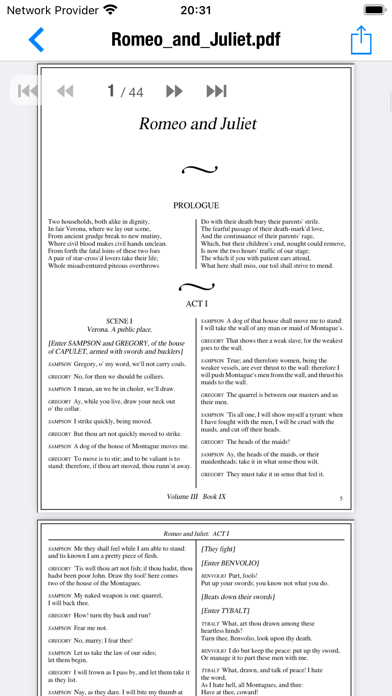
- Comprehensive Document Viewer: Open and read essential work files such as PDFs, Word documents (DOC, DOCX), RTF, and Excel spreadsheets (XLS).
- Built-In Text Editing: Create, view, and modify plain text files, as well as code files like HTML, CSS, and JavaScript.
- No-Internet Private Chat: Connect and message other users of the app nearby without relying on an active internet connection.
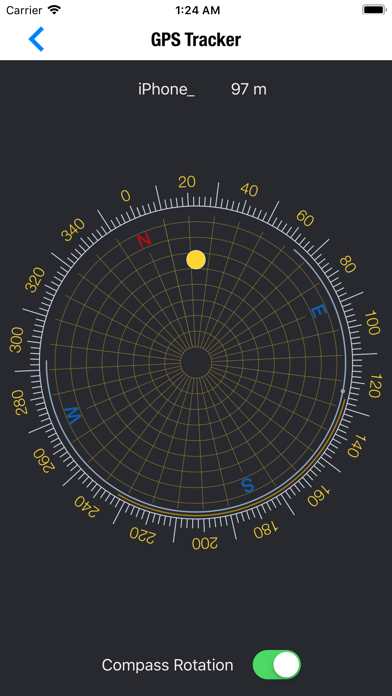
- Local GPS Tracker: Locate friends or colleagues in crowded or remote environments (like nightclubs or forests) without cellular service.
File Organization and Sharing Made Simple
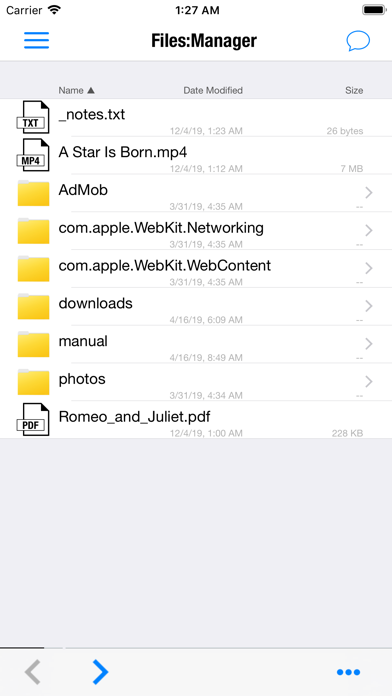
Moving data into the Files: File Manager App is straightforward. You can use the native iOS share sheet to copy items directly from Mail or Messages, or transfer files wirelessly via AirDrop, Bluetooth, and Wi-Fi. Once your files are inside the app, you can easily sort them by name, modification date, or file size, and perform standard actions like copy, cut, paste, and rename.
Should You Download It?
If you need a dependable, offline-first solution for managing media, reviewing documents, and maintaining local communication, this tool offers an impressive suite of features. You can explore the application and its optional premium subscription features by visiting the official App Store page.