
Paint - Linux Educational Creative Tool
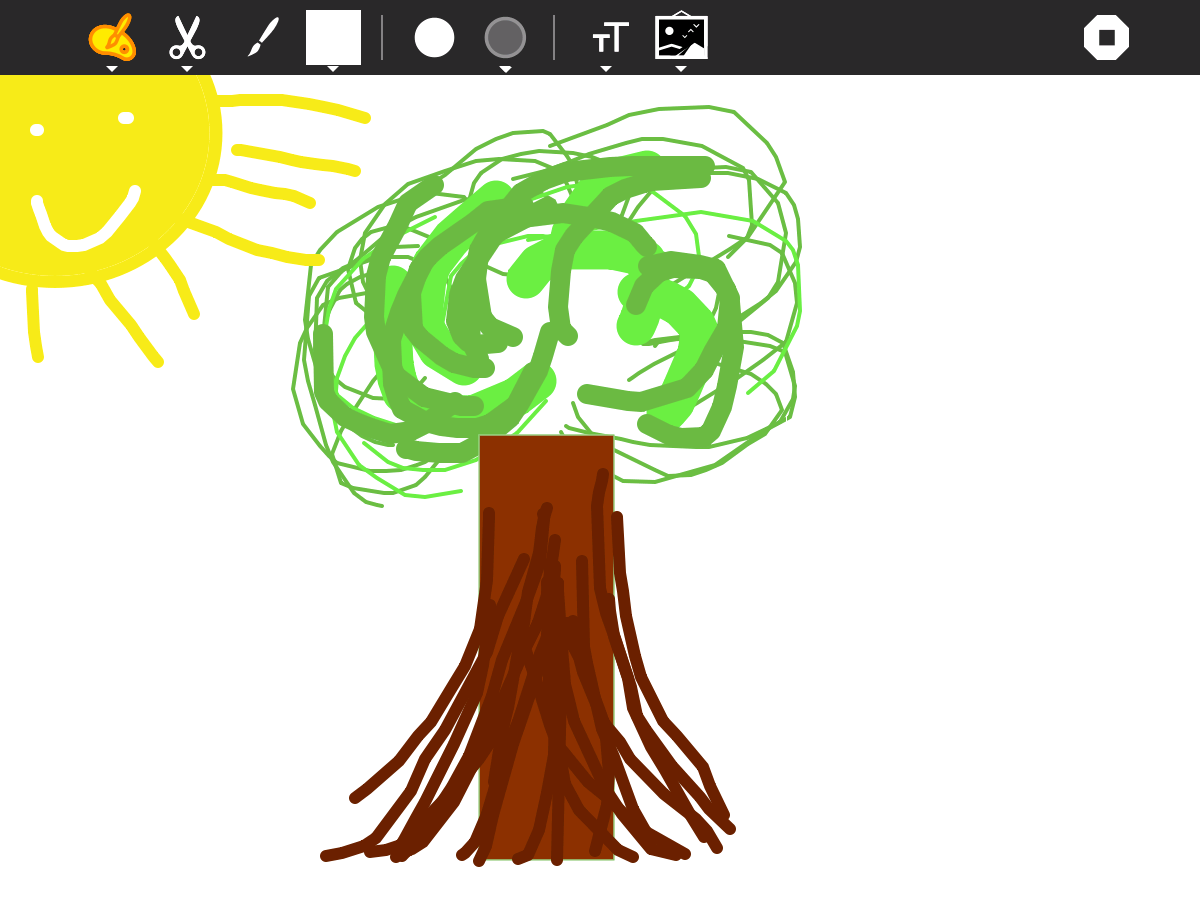
Explore Paint, the Linux educational creative tool by Sugar Labs. Read our review of this open-source digital canvas designed for young learners.
An Intuitive Digital Canvas for Young Minds
While many digital art programs overwhelm users with complex nested menus and technical terminology, the Paint educational creative tool stands out by stripping away the clutter. Developed specifically for the Linux platform by the Sugar Labs Community, this application reimagines the digital canvas as a welcoming, distraction-free environment where children and educational learners can instantly translate their imagination into colorful reality.
Rather than mimicking high-end photo editing software, this tool focuses entirely on the pure joy of creation. It provides an inviting entry point for beginners to understand coordinate spaces, brush dynamics, and color mixing without a steep learning curve.
Key Features of the Paint Educational Creative Tool
Designed with pedagogical principles in mind, the application offers a streamlined set of features that encourage experimentation:
- Simplified Brush Mechanics: Easy-to-use drawing tools that behave predictably, helping users grasp the basics of digital illustration.
- Kid-Friendly Interface: Large, recognizable icons and a layout tailored for younger students and educational settings.
- Focus on Open-Source Learning: Built by the Sugar Labs Community, ensuring a safe, ad-free, and tracking-free environment for classrooms.
- Lightweight Performance: Optimized specifically for Linux distributions, running smoothly even on older hardware typically found in schools.
Who Is This Creative Tool For?
As a core part of the educational software ecosystem, the Paint educational creative tool is primarily crafted for young students, educators, and parents looking for safe, constructive desktop activities. Because it resides in the educational category, it serves as an excellent stepping stone before students transition to more complex graphic design suites. It encourages fine motor skills, spatial awareness, and creative freedom in a controlled, non-commercial digital space.
Our Editorial Verdict
Sugar Labs has successfully delivered a straightforward, charming, and highly accessible application. By removing the barriers of complex configurations, it lets the artist inside anyone run free. If you are looking to introduce students to digital art on a Linux system, this is an excellent, lightweight option to add to your educational toolkit.
To try this application yourself, head over to the official Flathub store page to explore the software and install it on your compatible Linux setup.