
Refined GitHub Safari Extension
An in-depth review of the Refined GitHub Safari extension. Learn how this powerful tool simplifies the GitHub interface and boosts developer productivity.
While developer tools often focus on local IDE setups, the web interface of GitHub is where collaborative code review, issue tracking, and release management actually happen. The Refined GitHub Safari extension, crafted by prolific developer Sindre Sorhus, is designed specifically to bridge the gap between GitHub's default web UI and a highly optimized developer workspace. By injecting over 200 micro-improvements directly into your browser, this IT utility transforms how you interact with repositories online.
What is the Refined GitHub Safari Extension?
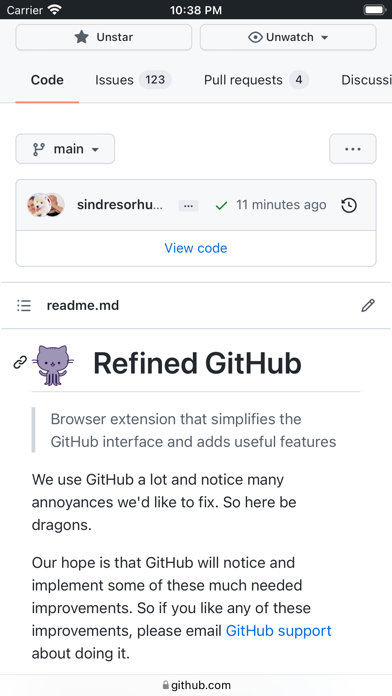
As a dedicated extension for macOS users, the Refined GitHub Safari extension simplifies the standard GitHub.com interface. Instead of forcing you to navigate cluttered pages or deal with default layouts that might not suit your coding style, it subtly cleans up the presentation, highlights critical data, and adds functional shortcuts that save cumulative hours of clicking over a work week.
Standout Features and Interface Enhancements
The beauty of this extension lies in its sheer volume of small, intelligent tweaks. Rather than introducing a steep learning curve, it works quietly in the background to deliver the following advantages:
- Intelligent Code Navigation: It automatically linkifies issue/PR references and raw URLs directly within your code view. Additionally, you can view the raw source of Markdown files with a single click.
- Clarity and Formatting: The extension makes hidden whitespace characters visible and reduces default tab spacing from 8 spaces to a much more readable 4 spaces.
- Streamlined Pull Requests: Keep track of complex branches with build/CI status icons displayed right next to the repository's name. It also highlights the most useful comments in long conversations, displays reaction avatars so you know who reacted to a thread, and shows which PRs touch the file you are currently viewing.
- Actionable Git Insights: See the exact first Git tag that a merged PR was included in, and access an automatic changelog link for every tag or release. You can even view the exact age of any repository directly in the sidebar.
- Quick Fixes: Resolve conflicts faster with one-click merge conflict fixers, or revert all changes to a specific file in a pull request instantly.
Who Should Use This Tool?
If you are a macOS-based developer, engineer, or project manager who prefers using Apple's native Safari browser and spends a significant portion of your day reviewing code, managing issues, or auditing releases on GitHub, this tool is an essential addition to your kit. It respects your system resources while delivering a massive productivity boost.
How to Get Started
Because this is a native Safari extension, it integrates seamlessly into macOS without heavy background processes. If you are ready to declutter your development workflow and experience a much more intuitive web interface, you can explore and download the extension directly from the official Mac App Store.